Summary: This article explains how ChatGPT Dot and Codex divide the work and collaborate — Dot handles project coordination and acceptance, while Codex writes code, runs tests, and submits PRs. It also lays out two practical deployment approaches.
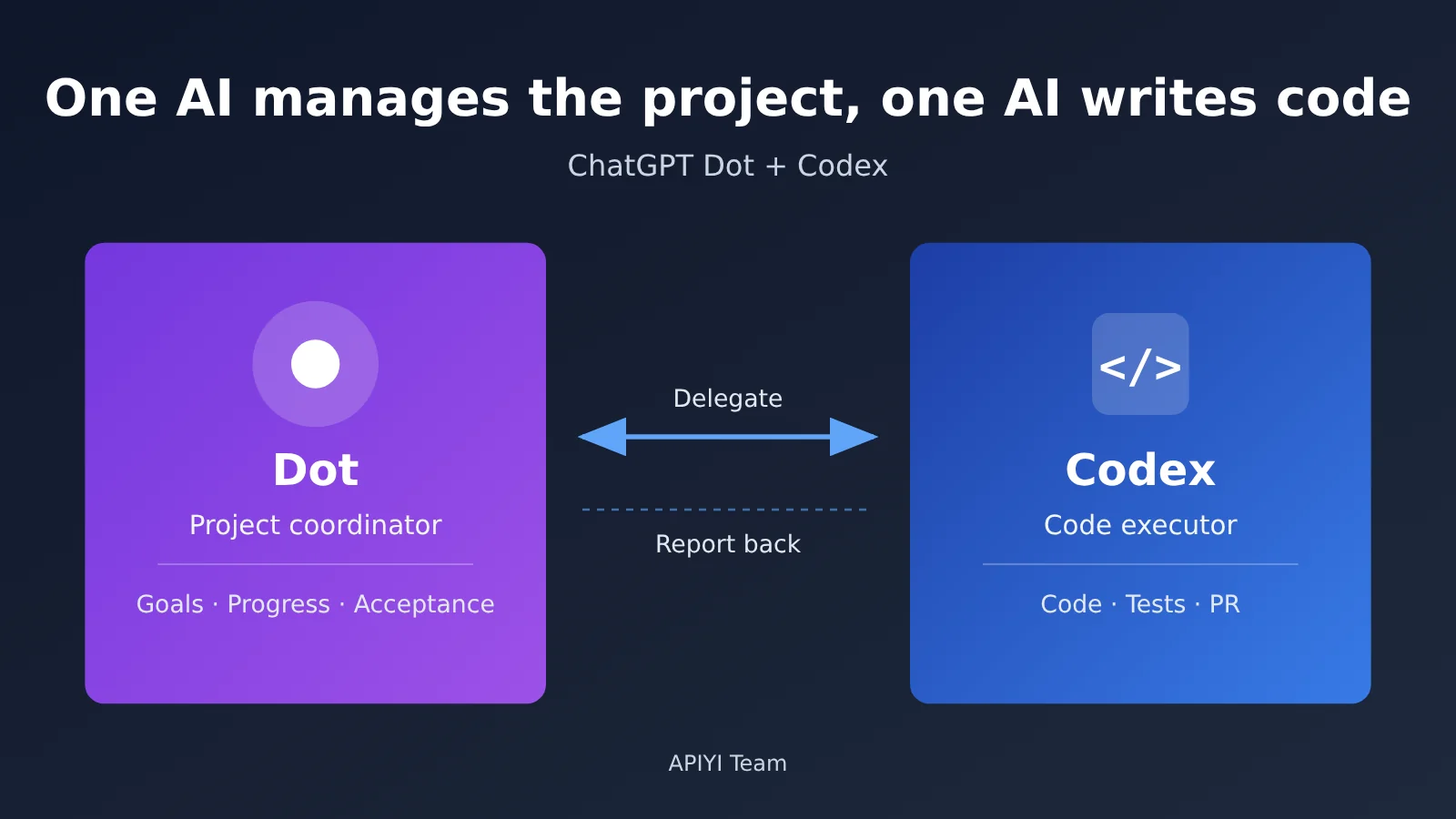
The ChatGPT Dot + Codex pairing can be summed up like this: Dot owns the goals, breaks down tasks, tracks progress, and does acceptance; Codex edits code, runs tests, fixes bugs, and opens PRs. You hand the requirements and acceptance criteria to Dot, and Dot delegates the programming work to Codex while continuously tracking the results.
Whether this combo actually works depends on three conditions: whether Codex’s execution environment is properly set up (the cloud requires a published Codex Cloud environment, while local runs require your computer to be online and Dot separately authorized to access it), whether the repo has project conventions like AGENTS.md, and whether you’ve gone through the actual deliverables item by item. As of November 23, 2026, some developers have reported that task scheduling results fall short of the official description — so you can’t skip the verification step.
ChatGPT Dot + Codex Knowledge Map and Reading Index
The table below arranges everything this article covers by how the pieces relate to one another. The first two sections answer “what it is and who does what,” the middle two answer “how to set it up and how to use it,” and the final section answers “how do I confirm it actually did the job.”
| # | Content | Relationship to surrounding sections | What you’ll get out of it |
|---|---|---|---|
| 1 | Dot’s positioning, availability scope, and the division of labor across the four products | The prerequisite for every configuration that follows | Determine whether you can use it and which product you should use |
| 2 | The 5 collaboration stages between Dot and Codex | Turns the division of labor from Section 1 into a concrete workflow | Understand a delegation from start to sign-off, end to end |
| 3 | Two deployment options: Codex Cloud and local Codex | Provides concrete steps for the “choose an execution environment” decision in Section 2 | Pick the right option for your project and complete the configuration |
| 4 | A complete demo project and delegation prompt | Combines Sections 2 and 3 into one reproducible example | Get an instruction template you can modify and use directly |
| 5 | Constraining Codex with AGENTS.md | Fills in the “follow project conventions” part of Section 4 | Keep development rules consistent across multiple tasks |
| 6 | Impact analysis, known issues, and delivery checks | Verifies the results of all the preceding steps | An acceptance checklist you can tick off item by item |
If you’ve already activated Dot and configured Codex, you can jump straight to Section 3 or Section 4. If you only care about the risks, Section 6 can be read on its own.
ChatGPT Dot + Codex Essential Terms to Know
| Term | Brief explanation |
|---|---|
| Dot | A personal AI Agent that lives inside ChatGPT, capable of handling tasks over the long term, proactively tracking progress, and reporting back or requesting approval from the user |
| Codex | OpenAI’s software engineering Agent, responsible for modifying code, running tests, fixing bugs, and handling PRs |
| Codex Cloud | Codex’s cloud-based code environment; once connected to a GitHub repository, it can keep running even when your computer is turned off |
| Local Codex | Codex running on the user’s local machine, which requires the computer to be online and authorization to be completed |
| ChatGPT Work | The ability to carry out concrete work across applications, such as gathering information, producing reports, and editing documents |
| Scheduled Tasks | Recurring tasks triggered by time or events |
| AGENTS.md | An instruction file placed in the repository; Codex reads the project rules in it before starting work |
| PR | Pull Request, a request to merge code, used to review changes before merging them into the main branch |
1. ChatGPT Dot Core Info: What It Is, Who Can Use It, and How It Divides Work with Codex
1.1 ChatGPT Dot’s Positioning and Core Capabilities
OpenAI officially launched ChatGPT Dots on September 29, 2026. Dot’s product goal is to let AI take long-term responsibility for the tasks users assign to it: even when you haven’t sent a new message, it proactively researches, tracks progress, invokes tools, and reports back or asks for approval when needed.
On the model side, OpenAI updated its documentation on November 3: Dot was initially driven mainly by GPT-6 Astra, and later added GPT-6.1 Terra, allowing different models to be used for different tasks. Dot’s main capabilities are as follows:
- Continuous work: Advances multiple tasks around long-term goals, with support for background research, scheduled execution, and proactive updates.
- Independent compute environment: Has its own cloud computer, browser, files, and software environment.
- App connections: Accesses email, calendar, documents, and other authorized apps through the ChatGPT plugin ecosystem.
- Long-term context: Uses relevant ChatGPT memory while also building Dot’s own working memory.
- Task delegation: Hands specific work to ChatGPT Work or Codex for execution.
- Cross-channel interaction: Supports ChatGPT desktop, web, mobile app, and messaging channels such as Slack and Teams.
- Control and approval: Users can view work status, set operating rules, take over the computer, and pause execution.
The “task delegation” and “control and approval” capabilities are the foundation that lets Dot serve as a project coordinator.
1.2 ChatGPT Dot Availability and Pricing (as of 2026-11-23)
Before you start configuring anything, it’s worth confirming whether your account already has access. The table below summarizes where things stand right now:
| Item | Status as of 2026-11-23 |
|---|---|
| Initial release date | September 29, 2026 |
| ChatGPT Pro | Available to users who meet age requirements in supported regions |
| ChatGPT Plus | Gradually rolling out to select accounts in supported regions |
| Business Premium | Available in supported regions based on eligibility |
| Business Standard | Gradually rolling out to eligible accounts in the US |
| Enterprise / Edu | Available to eligible workspaces, subject to admin and regional settings |
| Regional restrictions | Not yet available in the EU and EEA, the UK, or Switzerland |
| Number of Dots | The personal edition currently centers on a single primary Dot |
| Cost of use | The first Dot is included in the Pro and Business Premium plans, with deep work subject to usage limits |
| Delegated tasks | Codex and ChatGPT Work tasks each draw from their respective quotas |
Enterprise has separate billing: Dot fees are waived during a designated trial period through January 13, 2027, and billing begins on January 14. For developers, that last row deserves extra attention—when Dot delegates code work to Codex, it consumes Codex quota, so the more parallel tasks you run, the faster that quota gets used up.
1.3 The Division of Labor Between Dot, ChatGPT Work, Codex, and Scheduled Tasks
These four products work well together. Dot maintains the relationship between long-term goals and tasks, Work and Codex handle the actual execution, and Scheduled Tasks provides a clear mechanism for recurring runs.
| Product | Responsibilities it’s good at | Typical tasks |
|---|---|---|
| Dot | Long-term accountability, coordination, proactive tracking | Watching project progress, following requirement changes, chasing down pending decisions |
| ChatGPT Work | Executing concrete work across apps | Gathering materials, producing reports, editing documents |
| Codex | Software engineering and code execution | Modifying code, running tests, fixing bugs, handling PRs |
| Scheduled Tasks | Triggering on a set time or event | Sending a daily summary, checking status weekly, responding to specific events |
With this division of labor, “one AI manages the project, another AI writes the code” comes down to Dot plus Codex. If the project also needs competitor research or release documentation, Dot can delegate to ChatGPT Work at the same time; if you need a fixed daily check on build status, add Scheduled Tasks on top.
2. The Five Collaboration Stages of ChatGPT Dot + Codex
2.1 The Complete Flow from Requirement to Acceptance
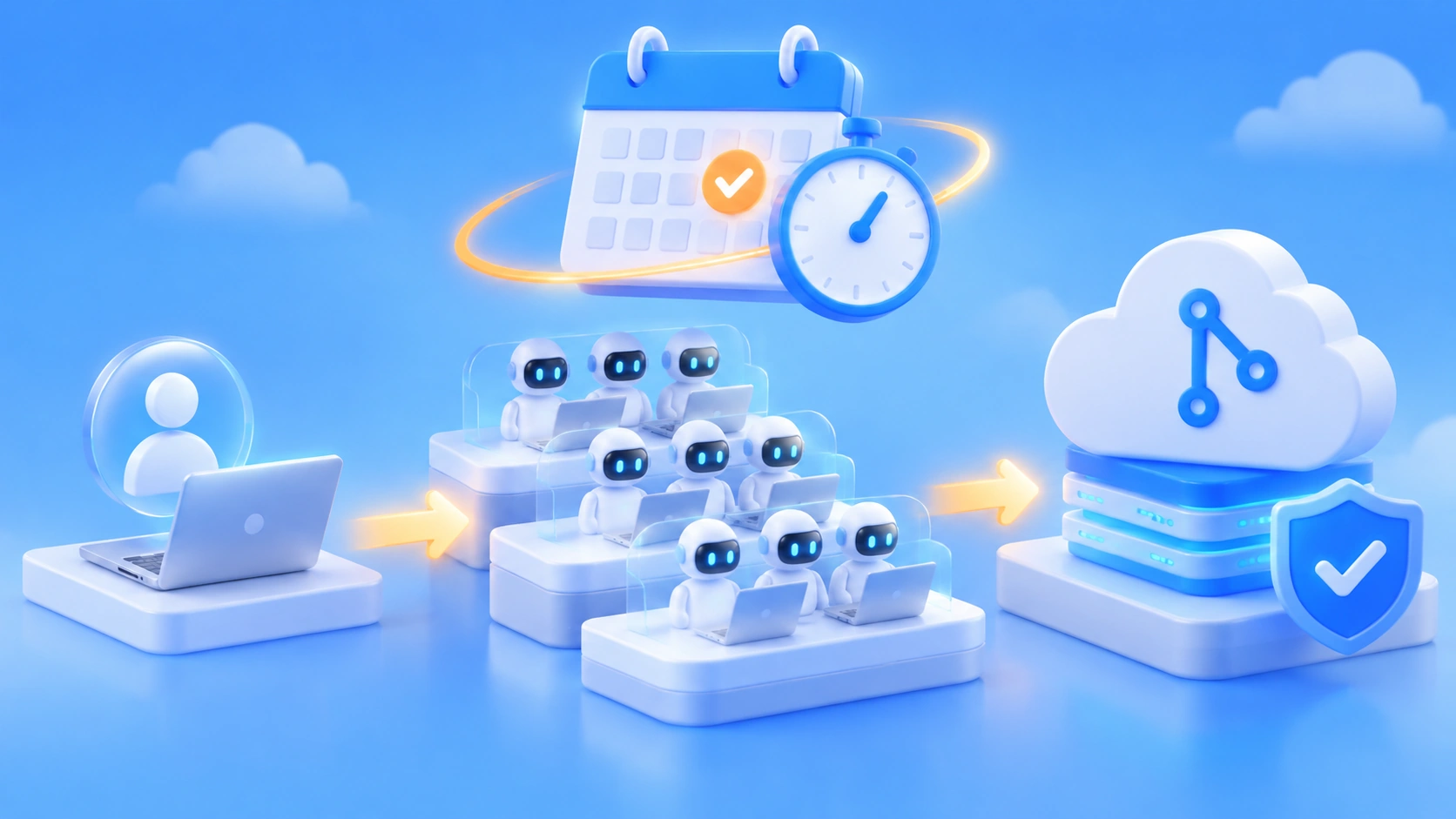
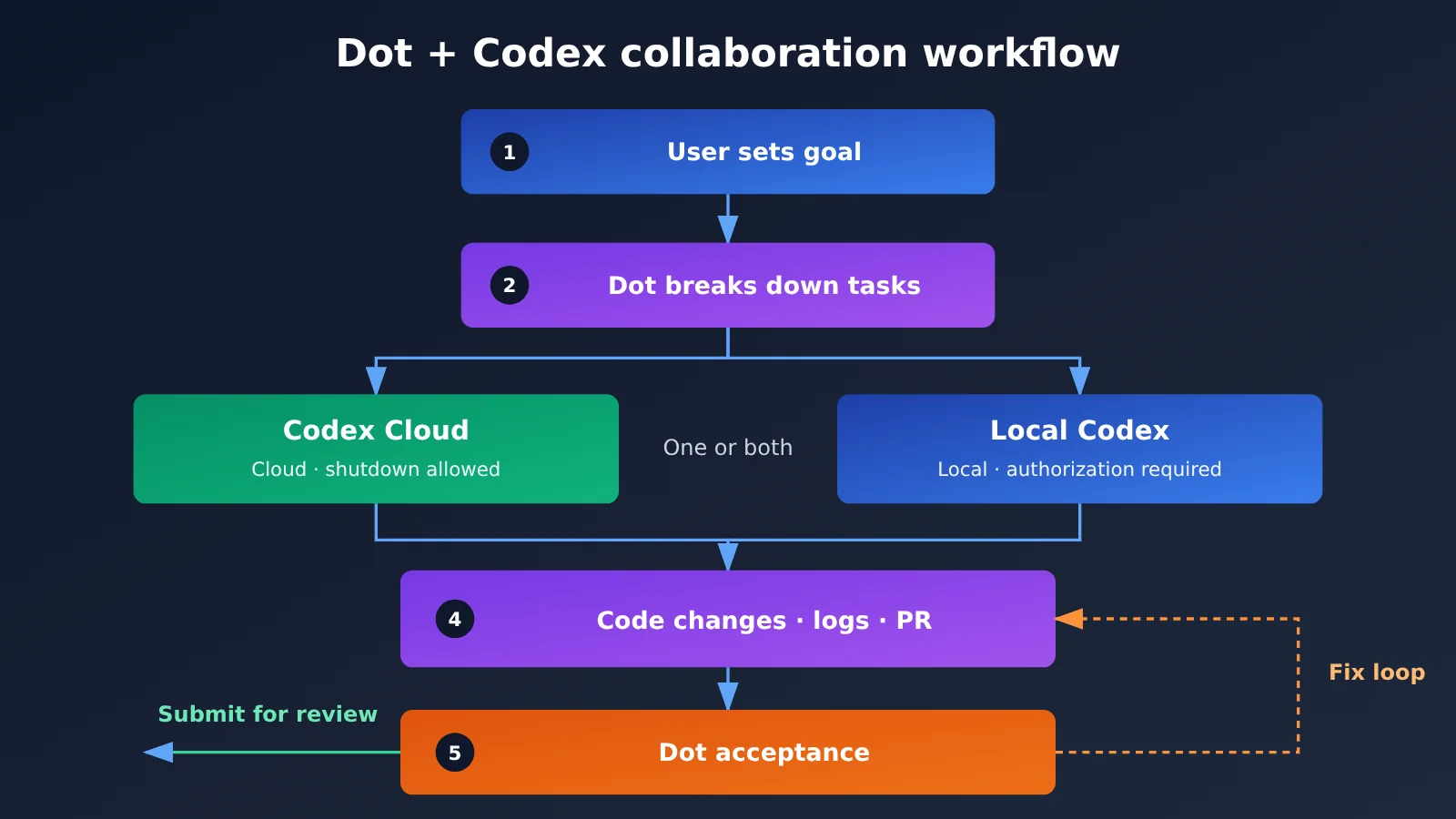
A typical Dot + Codex collaboration has five stages. Take “add article search to an existing website” as the example:
① User: states the goal and acceptance criteria
        ↓
② Dot (project coordinator): understand requirements → break down tasks → choose execution environment → delegate to Codex
        ↓
③ Execution environment (pick one or use both)
   ├─ Codex Cloud: cloud code environment, keeps running even when your computer is off
   └─ Local Codex: your local machine, requires the computer to be online and authorized
        ↓
④ Codex: modify code, run tests, generate code changes and a PR
        ↓
⑤ Dot: fetch test results, code changes, and the PR → decide whether to keep fixing or hand off to the user for review
Stage ⑤ can loop back to stage ④ multiple times. When Dot finds that tests failed or acceptance criteria aren’t met, it assigns Codex another fix until the conditions are satisfied or it hits a question that needs your decision.
2.2 Officially Confirmed Dot Delegation Capabilities
According to the official Tasks and memory and Computers and apps documentation, Dot can do the following when coordinating Codex:
- Create a new local Work or Codex task.
- Continue an existing local Codex task.
- Start a task in a configured Codex Cloud environment.
- Send follow-up instructions to tasks it created itself.
- Schedule multiple background Agents to work in parallel.
Item 4 determines whether the “fix loop” can actually work: Dot can only append instructions to tasks it created itself. If a Codex task was started manually by you, it’s best to tell Dot explicitly in the instructions how to take it over, or just have Dot recreate the task from scratch.
3. ChatGPT Dot + Codex: Two Ways to Deploy
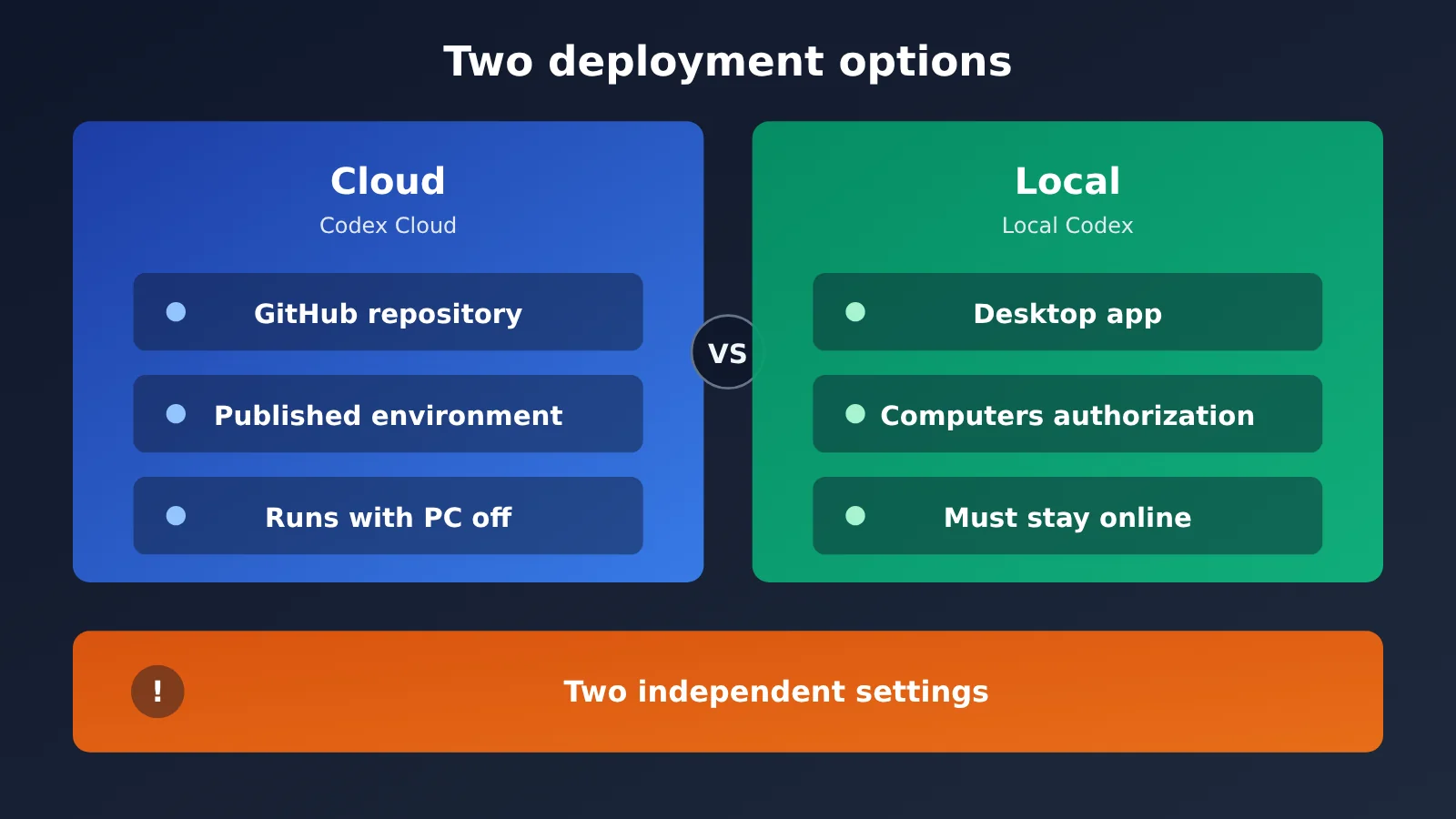
3.1 Option A: Dot + Codex Cloud — for continuous remote development
This setup suits situations where you want work to keep moving after you step away from your computer. Here’s how to configure it:
- Create an environment in Codex Cloud and connect the corresponding GitHub repository. You’ll find it under
Settings > Codex Cloud > Environments > Create environment. - Set up project dependencies, test commands, environment variables, and any required network permissions.
- Test the environment, confirm everything works, then publish it.
- In Dot, describe your development goal and specify the repository, the name of the published cloud environment, and acceptance criteria.
- Ask Dot to hand off the coding work to Codex, track the results, and schedule follow-up fixes if needed.
- On the task page, review the code, test results, changes, and PR.
Cloud environments can reuse pre-installed dependencies and project configuration. New tasks start from the state of the published environment, while existing tasks keep their own files and runtime state. That means if you change dependencies or test commands, you need to republish before new tasks will pick up the new configuration.
3.2 Option B: Dot + local Codex — for projects already on your desktop
If your project only exists locally, or depends on a local database or private services, go with the local setup:
- Install and sign in to the ChatGPT desktop app on your computer.
- Open Dot’s profile page, select your computer under Computers, and click Allow access to authorize it.
- Tell Dot which local project and task to work on.
- Dot can then start work on the authorized computer, or try to continue an existing Codex task.
- Check progress in the local Codex task and on Dot’s Activity page.
While local execution is running, your computer needs to stay online and the ChatGPT desktop app needs to stay open. If the computer disconnects, the related local operations will be affected — but Dot’s own cloud environment remains usable. One easy-to-miss detail: connecting Codex and authorizing Dot to use your local computer are two separate settings. Complete only one of them, and Dot won’t be able to start a Codex task locally.
3.3 Comparing the two options
| Comparison | Dot + Codex Cloud | Dot + local Codex |
|---|---|---|
| Where it runs | Cloud code environment | Your local computer |
| If your computer shuts down | Tasks keep running | Local operations are affected |
| Prerequisites | Connect a GitHub repo, configure dependencies and test commands, publish the environment | Install the desktop app, authorize under Computers, connect Codex |
| Best for | Projects already hosted on GitHub, with dependencies that can be installed in the cloud | Projects that rely on local resources and aren’t on the cloud yet |
| Environment reuse | New tasks start from the published state | Uses the existing local environment directly |
| Main risks | Environment not published, or configuration out of date | Computer offline, or authorization missing |
4. ChatGPT Dot + Codex Complete Demo Project
4.1 Roles and Verifiable Artifacts
Example project: add “article search and filtering” to an existing blog management tool. Each participant is tied to a verifiable artifact, so acceptance review has something concrete to check:
| Participant | What they need to do | Verifiable artifact |
|---|---|---|
| User | Provide the project URL, requirements, and acceptance criteria | Requirements statement |
| Dot | Read the requirements and break down frontend and backend tasks | Task list, ownership, and status |
| Codex | Modify the search logic, frontend components, and styles | Code changes |
| Codex | Run tests and fix errors | Test logs, verification results |
| Dot | Summarize changes and check acceptance criteria | Project report, open questions |
| User | Review the code results and decide whether to merge | PR review comments |
Throughout the process, the user only steps in at the beginning and the end; everything in between is driven by Dot and Codex in a loop. The final decision to merge code always stays with the user.
4.2 Copyable Dot → Codex Delegation Instruction
You can send the following instruction directly to Dot. Just replace the bracketed content with your repository URL and environment name; if you’re using a local setup, change “Codex environment” to the local project path.
You are the long-term coordinator for this software project, and Codex handles the actual development.

Project repository: [GitHub URL]
Codex environment: [published environment name]
Goal for this round: Add article title search, category filtering, and a no-results message.

Acceptance criteria:
Search results are correct; the mobile layout works properly; existing features pass regression tests; and the files added and modified are documented.

Execution requirements:
1. First read the repository README, AGENTS.md, and the current implementation, then break the development work into tasks.
2. Hand coding work off to the appropriate Codex environment.
3. Track task status, test logs, and exceptions; when errors occur, arrange fixes.
4. Once acceptance passes, submit a change summary, test results, and a PR link for my review.
5. Ask for my approval before deleting important files, modifying the production environment, or merging code.
6. In every report, mark items as completed, in progress, blocked, or awaiting my decision.
7. If a task is interrupted, record the last successful step and the point at which to resume.
There are three parts of this instruction worth keeping: item 5 puts high-risk operations under Dot’s approval mechanism; item 6 standardizes the reporting format so progress is easy to gauge quickly; item 7 leaves a clear trail for recovery after an interruption. This is a demo workflow designed around officially supported mechanisms—actual results depend on task connections, permissions, and environment status.
5. Using AGENTS.md to Keep Codex on the Project’s Rules
5.1 What AGENTS.md Does
Codex supports an AGENTS.md instruction file. Before it starts working, it reads the matching project instructions, and it handles layered instructions at both the global and repository level. Every Codex task that Dot delegates reads the same set of rules, which is far more reliable than restating them in each delegation prompt.
Drop an example like this in the repository root:
# AGENTS.md

## Project Development Rules

- Read README.md and the relevant modules first.
- When changing a feature, keep the scope of the change as tight as possible.
- Run the project tests after making changes.
- Front-end adjustments must be checked on mobile.
- Include a change summary when you submit results.
- Never modify the production environment directly.
- For anything you can't verify, record the specific reason.
5.2 How the Two Layers Divide the Work
You can maintain the rules in two layers: project-level development rules go in AGENTS.md, where Codex reads them; long-term coordination requirements go to Dot — things like reporting format, approval boundaries, and priorities. That way, even when Dot is switching between multiple tasks, the code rules won’t get dropped from some delegation. And the other way around: coordination rules won’t end up mixed into repository files.
6. ChatGPT Dot + Codex Impact Analysis and Delivery Checklist
6.1 Impact on Developers
For indie developers and Vibe Coding users, Dot + Codex shifts you from “watching AI write code” to “setting goals for AI and then reviewing the results.” Your main work moves toward writing clear acceptance criteria and reviewing PRs, while Dot handles the splitting, dispatching, follow-ups, and fix loops in between.
For technical project leads, Dot can coordinate multiple background agents working in parallel, making it a good fit for pushing several independent small changes at once. The costs still count: each delegated task consumes the corresponding Codex or Work quota, and Enterprise users also need to watch Dot billing starting January 14, 2027.
6.2 Known Issue: Scheduling Results Fall Short of the Official Description
On November 20, 2026, a user in the OpenAI developer community reported that in their tests, all tasks Dot successfully created showed as Cloud. They couldn’t successfully create the intended local or cloud Work task, nor confirm whether a native local Codex session was created successfully. That’s a notable experience gap compared with the task scheduling capability described in the official docs.
This is just one user’s report, but it shows that when Dot replies “delegated,” the task may not start the way you expect. During a gradual rollout, you should verify every delegation yourself.
6.3 Delivery Checklist
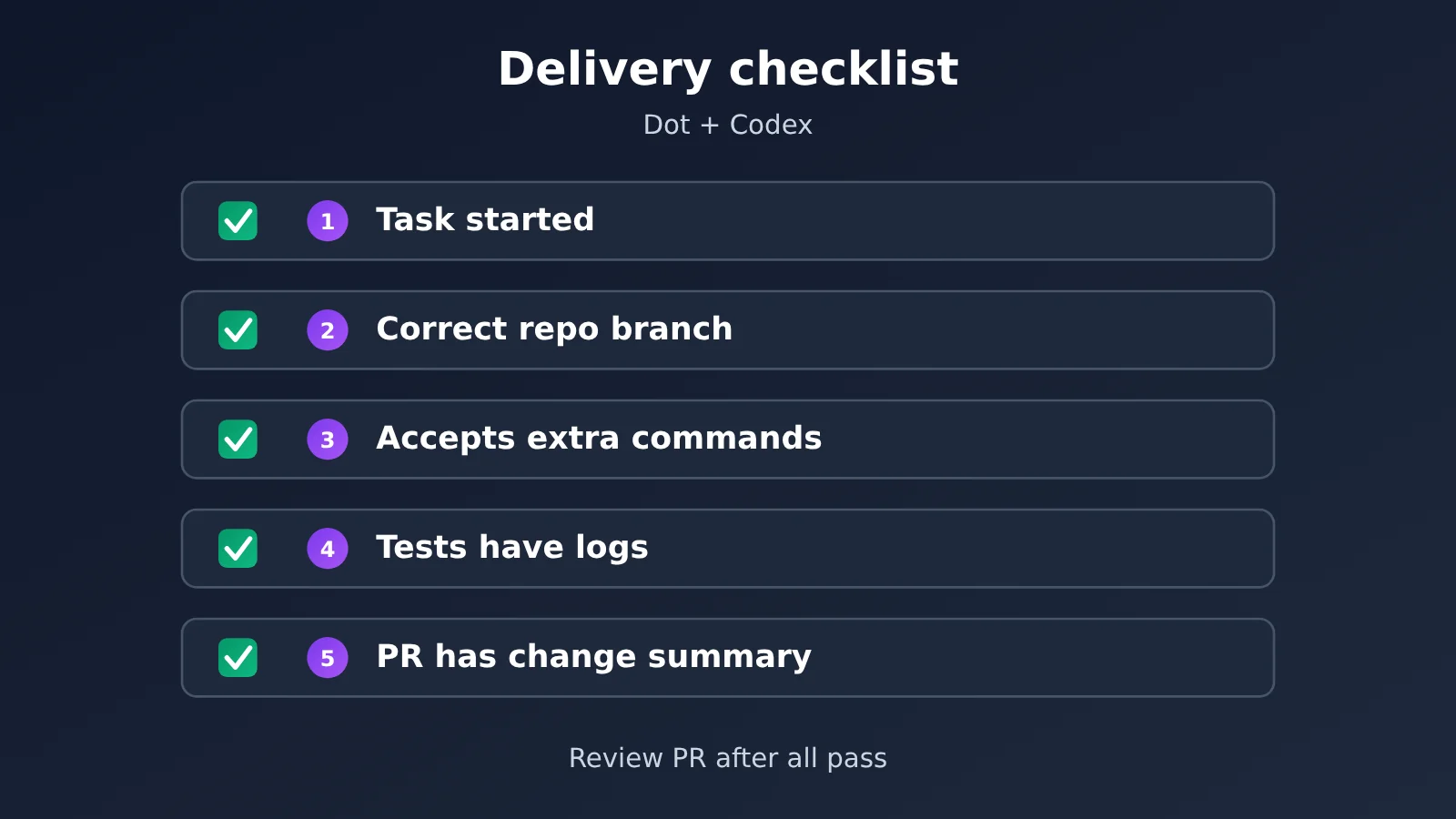
After each Dot report, check the table item by item. If anything doesn’t match, send the specifics back to Dot and ask it to arrange a fix or recreate the task.
| Checklist item | Where to check | What to do if it doesn’t match |
|---|---|---|
| Whether the Codex task actually started and whether its type (Cloud / local) matches expectations | Codex task list, Dot’s Activity page | Ask Dot to recreate the task in the specified environment |
| Whether the target repository and branch are correct | Task details, code change records | Include the repository URL and environment name in the instructions |
| Whether the original task can continue to receive follow-up instructions | Append a small instruction to the task and observe the response | Confirm whether the task was created by Dot |
| Whether tests actually ran | Test logs | Check the test command configuration in the environment and re-publish |
| Whether a PR was generated and whether the change summary is complete | GitHub PR page | Ask Codex to supplement the summary according to AGENTS.md |
Only when all five pass is this Dot + Codex collaboration truly delivered; after that, you review the PR and decide whether to merge.
References
- Introducing dots: OpenAI’s official announcement, published 2026-09-29, with the model description updated 2026-11-03
- Getting started with your dot: Official usage help, including availability scope and cost details
- Personalize your dot: Official hands-on tutorial, covering the division of labor across Dot, Work, Codex, and Scheduled Tasks
- Tasks and memory: Official documentation on Dot’s task delegation and coordination mechanism
- Computers and apps: Official documentation on how a local computer connects to the cloud
- Codex Cloud environment configuration: Official docs covering the rules for creating, publishing, and reusing environments
- Codex AGENTS.md instruction rules: Official docs on global and repository-level layered instructions
- OpenAI Developer Community user feedback: 2026-11-20, a test report on the types of tasks Dot can create