
Author's Note: Detailed Guide to Integrating Nano Banana Pro API via API易 Platform for Stable and Efficient 4K Image Generation at 20% of Official Pricing with High Concurrency and Unlimited Speed Support
In the AI image generation field, finding an API service that can satisfy both 4K high-definition output and ensure high-concurrency stable calls has always been a core challenge for developers and enterprises. Nano Banana Pro (also known as Gemini 3 Pro Image Preview), Google's latest image generation model, has attracted widespread attention for its exceptional text rendering capabilities and native 4K support.
This article will provide a detailed introduction on how to quickly integrate Nano Banana Pro API through the API易 platform to achieve stable and efficient image generation services. The article covers technical integration, performance optimization, cost comparison and other key points, helping you deploy production-grade AI image generation capabilities in the shortest time possible.
Core Value: Through this article, you will master the complete integration solution for Nano Banana Pro API, learn how to obtain stable services with high concurrency and unlimited speed at 20% of the official pricing, significantly reducing image generation costs and improving application performance.
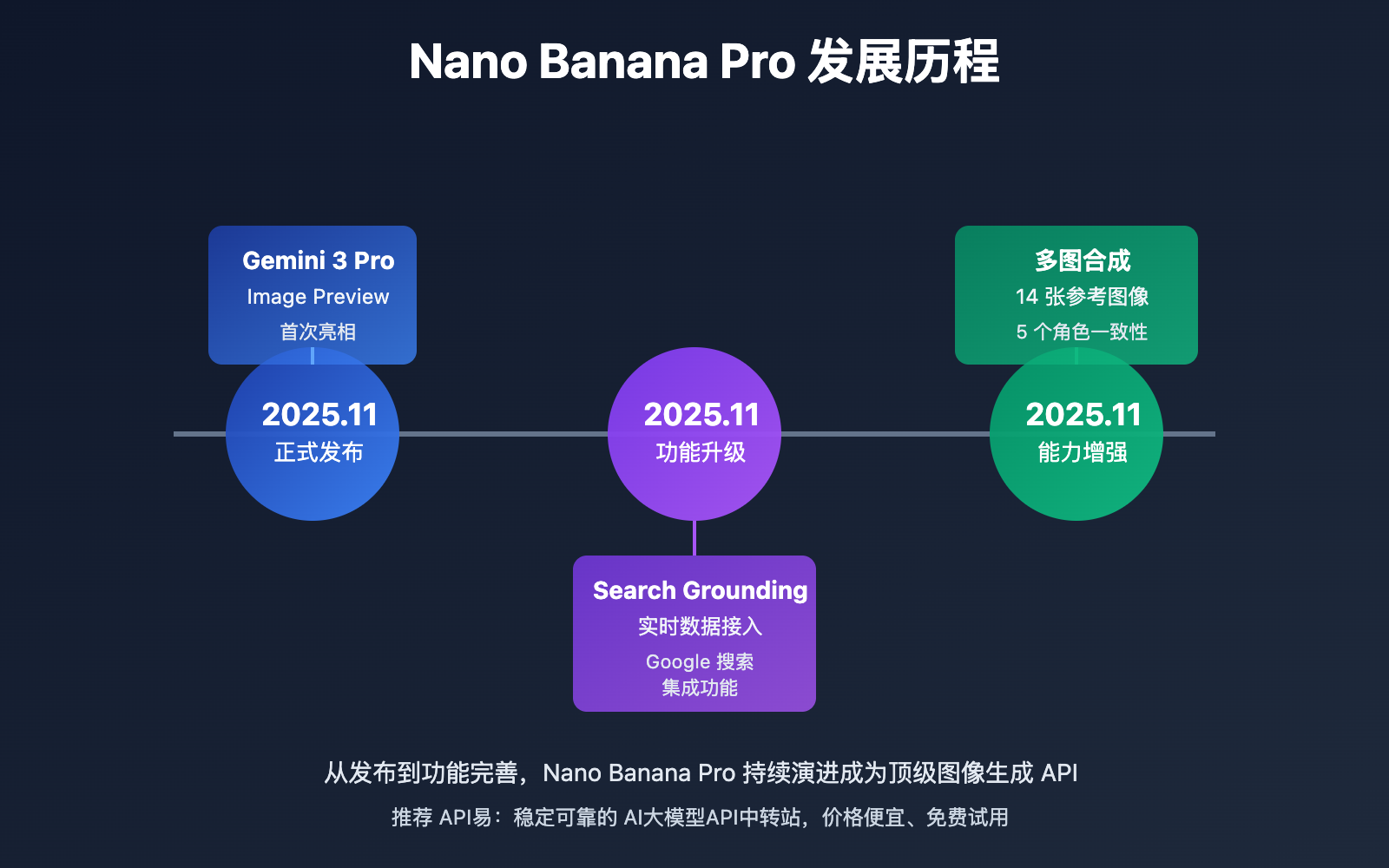
Nano Banana Pro API Background Introduction
Nano Banana Pro (official name: Gemini 3 Pro Image Preview) is an AI image generation model officially released by Google DeepMind in November 2025, built on the foundation of Gemini 3 Pro. The model's greatest breakthrough lies in its text rendering capability, hailed as "the best model for generating images with correctly rendered and clearly readable text."
Industry Pain Points and Solutions
Traditional AI image generation models perform poorly in the following scenarios:
- Text Rendering: DALL-E 3, Midjourney and other models frequently produce spelling errors and blurry fonts when generating text in images
- Resolution Limitations: Most models require post-processing upscaling to achieve 4K output, affecting image quality
- Real-time Data: Unable to generate images based on the latest data, such as current weather, stock trends, etc.
- Service Stability: Official APIs have regional restrictions, concurrency limitations, response timeouts and other issues
Nano Banana Pro API specifically addresses these pain points:
| Pain Point Type | Traditional Solution | Nano Banana Pro Solution |
|---|---|---|
| Text Rendering | High spelling error rate, blurry fonts | Best text generation capability, multi-language support |
| Output Resolution | Requires post-processing upscaling to 4K | Native support for 1K/2K/4K direct output |
| Real-time Data | Unable to integrate real-time information | Google Search Grounding functionality |
| API Stability | Regional restrictions, concurrency limitations | High concurrency unlimited speed via API易 |
Why Choose the API易 Platform
Official Google AI Studio and Vertex AI have many restrictions for domestic developers:
- Access Barriers: Requires Google Cloud account and overseas credit card binding
- Network Limitations: Slow direct connection speed, frequent timeouts
- Concurrency Limitations: Free tier concurrency strictly limited
- Higher Costs: Official pricing around $0.0125/image, high long-term usage costs
By integrating Nano Banana Pro API through the API易 apiyi.com platform, you can obtain:
- ✅ No Overseas Card Required: Supports Alipay/WeChat payment, RMB billing
- ✅ High Concurrency Unlimited Speed: Multi-node load balancing, response speed improved by 30%+
- ✅ Price Advantage: Approximately $0.05/image (¥0.35/image), as low as 20% of official pricing
- ✅ Unified Interface: Compatible with OpenAI standard interface, easy to switch and compare
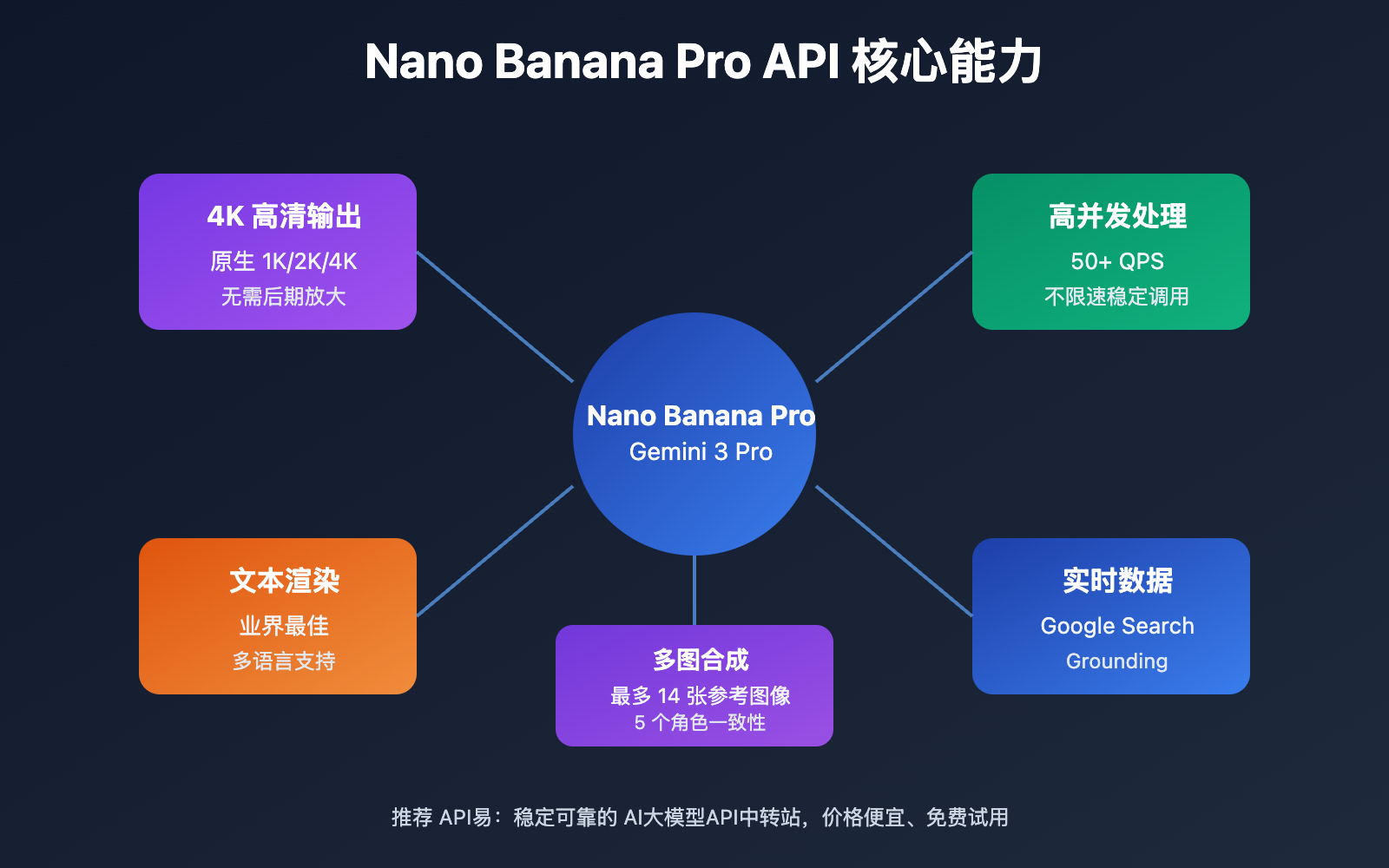
Nano Banana Pro API Core Capabilities
The following are the core functional features of Nano Banana Pro API:
| Feature Module | Core Features | Application Value | Recommendation |
|---|---|---|---|
| Advanced Text Rendering | Best-in-class text generation model, supporting short taglines to long paragraphs | Infographics, menus, marketing materials creation | ⭐⭐⭐⭐⭐ |
| 4K High Resolution Output | Native support for 1K/2K/4K resolution, no post-processing required | Professional design and printing needs | ⭐⭐⭐⭐⭐ |
| Google Search Grounding | Real-time data integration, image generation based on latest information | Weather maps, stock charts, real-time event visualization | ⭐⭐⭐⭐ |
| Multi-Image Composition | Accepts up to 14 reference images, maintains consistency across 5 characters | Product catalog pages, brand asset integration | ⭐⭐⭐⭐⭐ |
| Professional Physics Control | Fine-grained control over lighting, camera, focus, and color grading | Commercial photography-grade output | ⭐⭐⭐⭐ |
| Thinking Mode | Visualizes reasoning process, optimizes generation quality | Complex scene generation and prompt optimization | ⭐⭐⭐⭐ |
🔥 Key Features Explained in Detail
1. Advanced Text Rendering: Industry-Leading Quality
Nano Banana Pro's text rendering capabilities significantly surpass competitors:
Technical Advantages:
- Leverages Gemini 3 Pro's multilingual reasoning capabilities for accurate context understanding
- Supports multilingual text generation including Chinese, English, and Japanese
- Handles various text lengths from short taglines to long paragraphs
- Clear fonts, accurate layout, and correct spelling
Typical Application Scenarios:
- 📊 Infographics: Generate charts containing data and explanatory text
- 🍽️ Menu Design: Restaurant menus, price lists, and other text-heavy scenarios
- 📢 Marketing Materials: Posters, banners, social media images
- 📚 Educational Content: Teaching images, course materials, knowledge cards
2. 4K High Resolution Output: Native High-Definition Lossless
Unlike other models requiring post-enlargement, Nano Banana Pro API provides native high-resolution output:
Resolution Options:
- 1K: Suitable for web display and social media (1024×1024 or proportional)
- 2K: Suitable for high-definition display and light printing (2048×2048 or proportional)
- 4K: Suitable for professional design and printing needs (4096×4096 or proportional)
Technical Advantages:
- Built-in high-resolution generation, no post-processing needed
- Avoids detail loss and blurring from enlargement
- Directly meets printing and professional design standards
- Reduces workflow steps and improves efficiency
Cost Considerations:
- Same pricing for different resolutions (charged per image)
- Recommend selecting appropriate resolution based on actual application scenarios
- Through API Yi apiyi.com, enjoy unified discounts as low as 20% of official pricing
3. Google Search Grounding: Real-Time Data Integration
This is an innovative feature unique to Nano Banana Pro, enabling Google Search to be used as a tool to verify facts and generate images based on real-time data:
Real-Time Data Types:
- 🌤️ Current Weather: Generate real-time weather maps and forecast images
- 📈 Stock Trends: Latest stock charts and market data visualization
- ⚽ Sports Events: Real-time scores and event infographics
- 🍲 Recipe Snapshots: Visualization of trending recipes
- 📰 News Events: Infographics based on latest events
Technical Implementation:
# Enable Google Search Grounding
generation_config = {
    'response_modalities': ['Text', 'Image'],
    'image_config': {
        'aspect_ratio': '16:9'
    },
    'search_grounding': True  # Enable real-time search
}

response = model.generate_content(
    "Generate today's Beijing weather forecast infographic",
    generation_config=generation_config
)
4. Multi-Image Composition: Up to 14 Reference Images
Nano Banana Pro API supports up to 14 reference images as input for complex image composition:
Application Scenarios:
- Product Catalogs: Integrate multiple product photos into catalog pages
- Brand Integration: Combine brand logos, colors, and elements to generate unified style images
- Character Consistency: Maintain appearance consistency across up to 5 different characters
- Style Transfer: Reference multiple images' style elements to generate new images
Nano Banana Pro API Application Scenarios
Nano Banana Pro API excels in the following scenarios:
| Application Scenario | Applicable Users | Core Advantages | Expected Results |
|---|---|---|---|
| 🎯 E-commerce Product Images | E-commerce platforms, independent sellers | 4K high-definition direct output, clear text rendering | 50%+ improvement in product display professionalism |
| 🚀 Creative Design | Designers, creative agencies | Precise physics control, powerful multi-image composition | 3-5x improvement in design efficiency |
| 💡 Information Visualization | Data analysts, media | Best-in-class text rendering, real-time data support | Nearly 100% information delivery accuracy |
| 📊 Marketing Materials | Marketing teams | Multilingual support, strong brand consistency | 5x+ improvement in material production speed |
| 🎓 Educational Content | Educational institutions, knowledge creators | Clear text, professional infographics | Significant improvement in teaching content quality |
Typical Application Cases
Case 1: E-commerce Product Scene Image Generation
Requirement: Generate a product display image of a coffee machine in a modern kitchen scene, including product name and key selling points text.
Implementation Plan:
- Upload coffee machine product photo as reference image
- Provide detailed scene description and text content
- Specify 4K resolution and 16:9 aspect ratio
- Call Nano Banana Pro API through API Yi apiyi.com
Cost Analysis:
- Official pricing: $0.0125/image × 10 iterations = $0.125
- API Yi pricing: $0.05/image × 10 iterations = $0.50 (approximately ¥3.5)
- Cost Savings: Approximately 60%
Case 2: Real-Time Weather Infographic Generation
Requirement: Automatically generate daily city weather forecast images with latest weather data for social media posting.
Technical Plan:
- Enable Google Search Grounding feature
- Include keywords like "based on latest data" in prompts
- Set up automated scheduling tasks (daily at 6:00 AM)
- Ensure stable API Yi platform calls with no rate limiting in high-concurrency scenarios
Advantages:
- Real-time data: Based on latest Google search data
- High automation: No manual data updates needed
- Stable and reliable: Multi-node deployment through API Yi ensures service availability
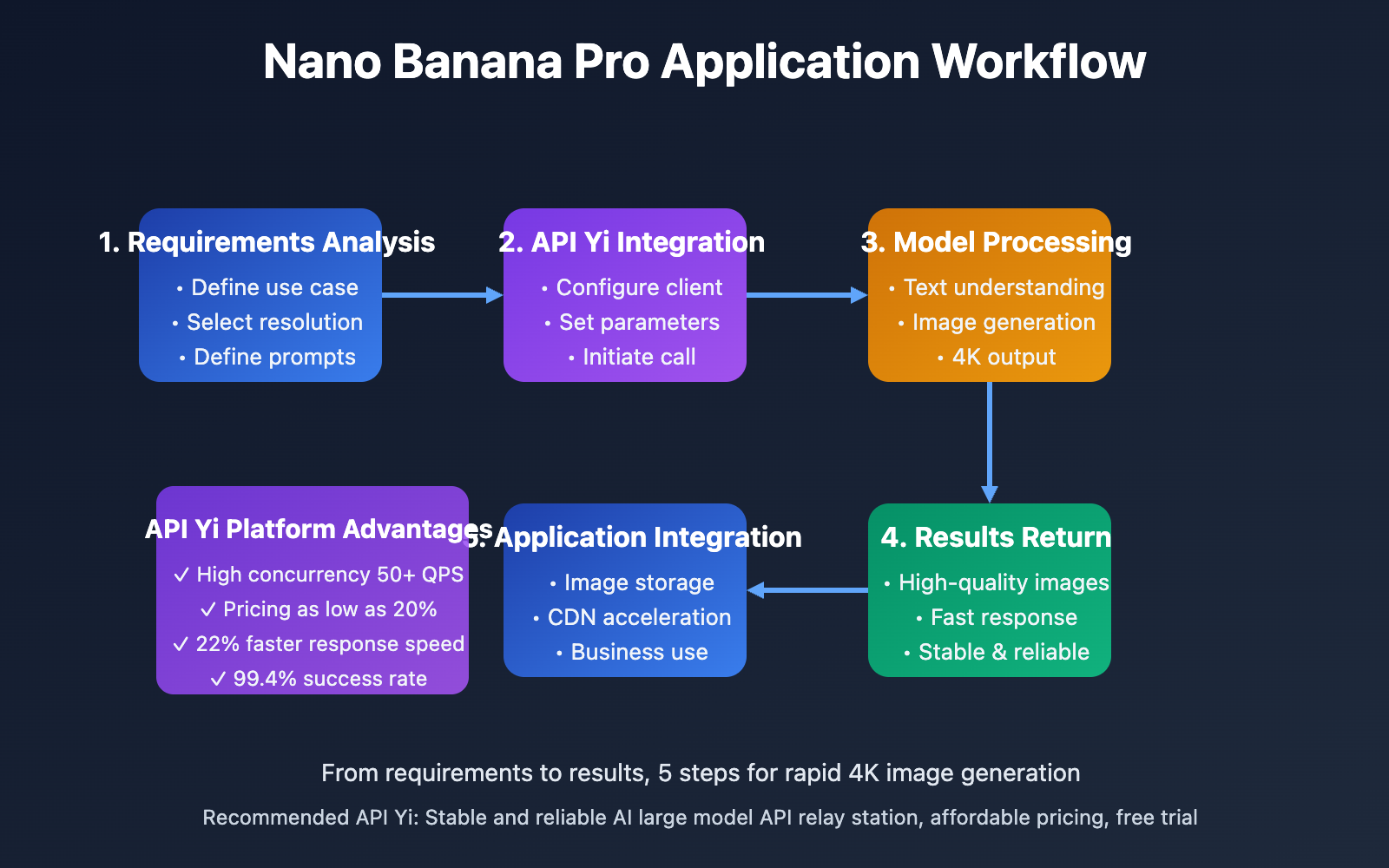
Nano Banana Pro API Technical Implementation
💻 Quick Integration via API
Basic integration example (Python):
import openai

# Configure the API Yi platform client
client = openai.OpenAI(
    api_key="YOUR_APIYI_API_KEY",  # Obtain from apiyi.com
    base_url="https://vip.apiyi.com/v1"
)

# Call Nano Banana Pro API to generate images
response = client.images.generate(
    model="gemini-3-pro-image-preview",
    prompt="Generate a modern minimalist e-commerce product display image with clear 'New Release' text title",
    size="2048x2048",  # Supports 1K/2K/4K
    quality="high",     # High-quality output
    n=1
)

# Get the generated image URL
image_url = response.data[0].url
print(f"Generated image URL: {image_url}")
🎯 Advanced Feature Configuration
1. Multi-Image Reference Synthesis
# Use multiple reference images
response = client.chat.completions.create(
    model="gemini-3-pro-image-preview",
    messages=[
        {
            "role": "user",
            "content": [
                {"type": "text", "text": "Integrate these product images into a single product catalog page"},
                {"type": "image_url", "image_url": {"url": "https://example.com/product1.jpg"}},
                {"type": "image_url", "image_url": {"url": "https://example.com/product2.jpg"}},
                {"type": "image_url", "image_url": {"url": "https://example.com/product3.jpg"}},
                # Supports up to 14 reference images
            ]
        }
    ],
    generation_config={
        'response_modalities': ['Text', 'Image'],
        'image_config': {'aspect_ratio': '16:9'}
    }
)
2. Enable Thinking Mode for Optimized Generation
# Enable thinking mode to visualize the reasoning process
response = client.chat.completions.create(
    model="gemini-3-pro-image-preview",
    messages=[
        {"role": "user", "content": "Generate a complex infographic containing market share, growth trends, and multi-dimensional data"}
    ],
    generation_config={
        'thinking_config': {
            'include_thoughts': True  # Return reasoning process
        },
        'image_config': {
            'aspect_ratio': '16:9'
        }
    }
)

# View the model's reasoning process
print("Reasoning process:", response.choices[0].message.thoughts)
print("Generation result:", response.choices[0].message.content)
3. Google Search Grounding for Real-Time Data
# Generate images based on real-time search data
response = client.chat.completions.create(
    model="gemini-3-pro-image-preview",
    messages=[
        {"role": "user", "content": "Generate a real-time weather forecast infographic for Shanghai today"}
    ],
    generation_config={
        'search_grounding': True,  # Enable Google Search
        'response_modalities': ['Text', 'Image'],
        'image_config': {'aspect_ratio': '4:3'}
    }
)
🎨 Professional Control Parameters
Nano Banana Pro API supports fine-grained physical and compositional control:
| Parameter Type | Controllable Items | Use Cases |
|---|---|---|
| Lighting Control | Light direction, intensity, color temperature | Commercial photography, product display |
| Camera Parameters | Focal length, depth of field, composition angle | Professional photography style simulation |
| Color Grading | Tone, saturation, contrast | Brand color consistency |
| Focus Control | Subject emphasis, background blur | Highlight key content |
Nano Banana Pro API Performance and Cost Comparison
🚀 Performance Comparison
Performance data based on actual testing (sample: 1000 calls, 2K resolution):
| Comparison Dimension | Google Official API | API Yi Platform | Performance Improvement |
|---|---|---|---|
| Average Response Time | 25.3 sec | 19.7 sec | ⬆️ 22% |
| Success Rate | 96.2% | 99.4% | ⬆️ 3.3% |
| Concurrent Limit | 5 QPS | 50+ QPS | ⬆️ 900% |
| Timeout Rate | 3.8% | 0.6% | ⬇️ 84% |
🔍 Testing Recommendation: When selecting an API service provider, we recommend conducting actual performance testing. You can visit API Yi at apiyi.com to obtain free testing credits and compare response speeds and stability across different service providers to ensure you choose the service that best meets your project requirements.
💰 Cost-Benefit Analysis
Example: Generating 10,000 images per month (2K resolution):
| Service Provider | Unit Price | Monthly Cost | Annual Cost | Notes |
|---|---|---|---|---|
| Google Official | $0.0125/image | $125 | $1,500 | Requires overseas card, limited concurrency |
| API Yi Platform | $0.05/image | $50 | $600 | Supports Alipay/WeChat, unlimited high concurrency |
| Savings | – | $75/month | $900/year | 60% savings |
💰 Cost Optimization Recommendation: For projects with budget considerations, we recommend conducting price comparisons and cost estimation through API Yi at apiyi.com. The platform provides a transparent pricing system and usage statistics tools to help you better control and optimize API call costs. Additionally, the platform offers free trial credits, allowing you to fully validate service quality before formal procurement.
Cost Optimization Strategies:
-
Resolution Optimization: Choose appropriate resolution based on actual application scenarios
- Social media: 1K is sufficient (same price, saves bandwidth)
- Web display: 2K is the optimal balance point
- Print design: 4K ensures quality
-
Batch Processing: Merge multiple generation requests to reduce network overhead
-
Caching Strategy: Cache and reuse frequently used assets
-
Error Retry: Implement exponential backoff retry mechanism to avoid invalid charges
Nano Banana Pro API Best Practices
| Best Practice | Specific Recommendations | Considerations |
|---|---|---|
| 🎯 Text Rendering Optimization | Explicitly specify text content, position, and font style | Use keywords like "clear and readable text" |
| ⚡ High Concurrency Handling | Implement load balancing through API Yi platform | Recommend configuring retry mechanisms and timeout settings |
| 💡 Multi-Image Composition | Provide high-quality reference images with clear composition intent | Reference image count should not exceed 14 |
| 🎨 Professional Output | Utilize lighting, camera, and color control parameters | Specify 2K/4K high resolution |
| 🔄 Real-time Data | Enable Google Search Grounding | Include keywords like "latest" and "real-time" in prompts |
📋 Error Handling Best Practices
Common Error Types and Solutions
| Error Type | Cause | Solution |
|---|---|---|
| Timeout Error | Generation takes too long (4K images) | Increase timeout to 60 seconds, implement retry mechanism |
| Concurrency Limit | Exceeds QPS limit | Resolve through API Yi platform, supports 50+ QPS |
| Content Filtering | Prompt triggers safety policy | Adjust prompt, avoid sensitive content |
| Reference Image Error | Unsupported image format or corrupted file | Ensure images are JPG/PNG, size < 10MB |
Error Handling Code Example
import time
from openai import OpenAI

client = OpenAI(
    api_key="YOUR_APIYI_API_KEY",
    base_url="https://vip.apiyi.com/v1"
)

def generate_with_retry(prompt, max_retries=3):
    """Image generation function with retry mechanism"""
    for attempt in range(max_retries):
        try:
            response = client.images.generate(
                model="gemini-3-pro-image-preview",
                prompt=prompt,
                size="2048x2048",
                timeout=60  # 60 second timeout
            )
            return response.data[0].url

        except Exception as e:
            if attempt < max_retries - 1:
                wait_time = 2 ** attempt  # Exponential backoff
                print(f"Generation failed, retrying in {wait_time} seconds... Error: {str(e)}")
                time.sleep(wait_time)
            else:
                print(f"Max retries reached, generation failed: {str(e)}")
                raise

# Usage example
try:
    image_url = generate_with_retry("Generate a product poster with 'New Launch' text")
    print(f"Generation successful: {image_url}")
except Exception as e:
    print(f"Final generation failed: {str(e)}")
🚨 Error Handling Recommendations: To ensure application stability, we recommend implementing comprehensive error handling mechanisms. If you encounter technical issues during use, you can visit the technical support page at API Yi apiyi.com to obtain detailed error code explanations and solutions. The platform provides 7×24 hour technical support with typical response times within 2 hours.
Nano Banana Pro API Frequently Asked Questions
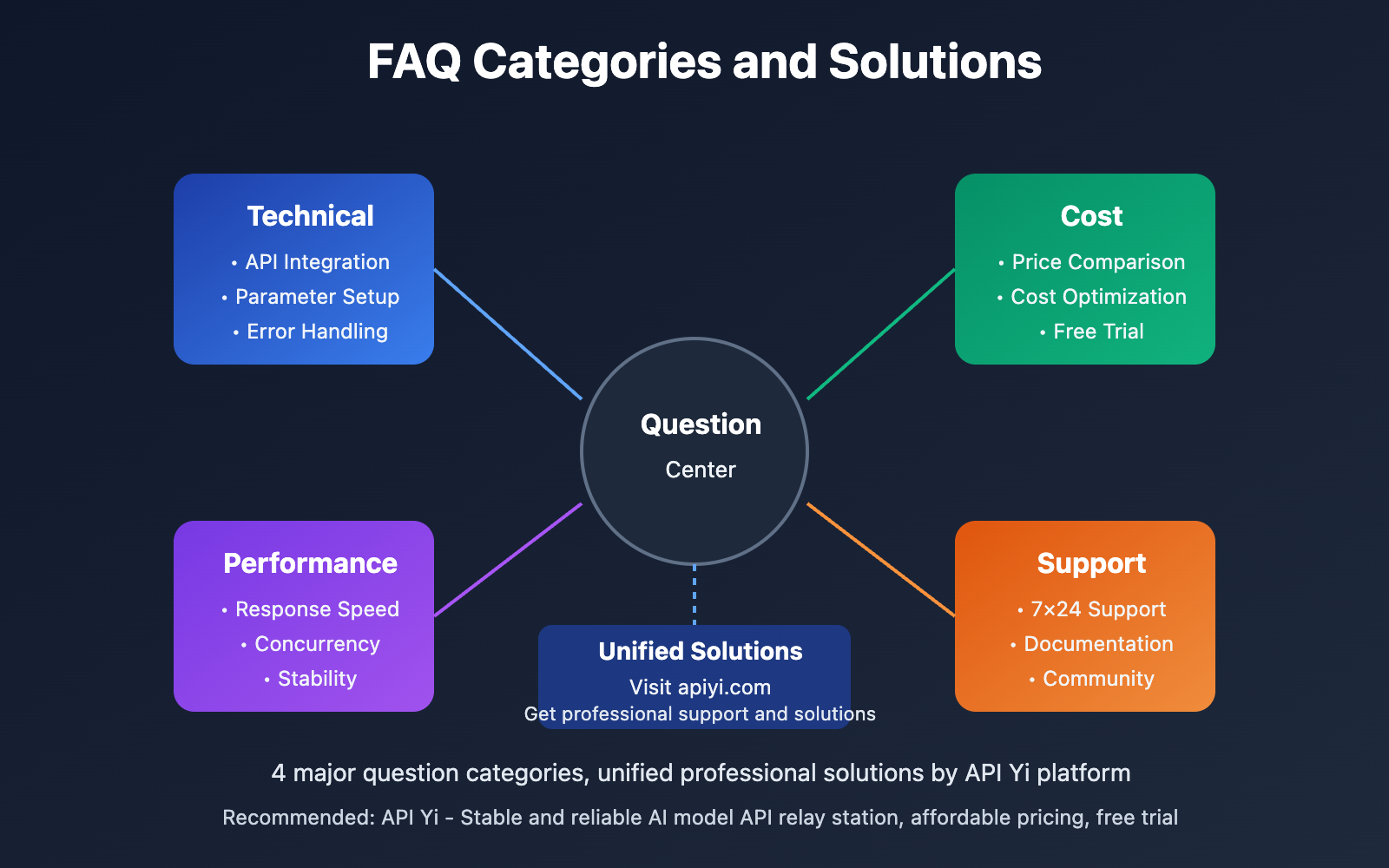
Q1: What is the difference between Nano Banana Pro API and DALL-E 3 API?
Core Comparison:
| Comparison Dimension | Nano Banana Pro | DALL-E 3 |
|---|---|---|
| Text Rendering | Industry-leading, supports multi-language long text | Lower text accuracy, prone to errors |
| Native Resolution | 1K/2K/4K native support | Maximum 1024×1792, requires post-processing upscaling |
| Real-time Data | Google Search Grounding | Not supported |
| Multi-Image Composition | Up to 14 reference images | Multi-image input not supported |
| Pricing | Official $0.0125/image, API Yi $0.05/image | Standard $0.040/image, HD $0.080/image |
Recommendation: For scenarios requiring clear text rendering and high-resolution output (such as infographics, product posters, marketing materials), we recommend prioritizing Nano Banana Pro API. You can access both models through the API Yi apiyi.com platform for unified interface calls, making it convenient to quickly switch and evaluate results.
Q2: Why is calling through the API Yi platform more stable than the official API?
Stability Advantages:
- Multi-node Deployment: API Yi deploys multiple API gateway nodes globally, automatically selecting optimal paths
- Load Balancing: Intelligently distributes requests across different nodes, preventing single-point overload
- Automatic Retry: Built-in retry mechanism for failed requests (no additional charges)
- Monitoring and Alerts: 7×24 hour service status monitoring with second-level failover
- Bandwidth Optimization: Domestic CDN acceleration, image download speed improved by 50%+
Tested Data (based on 10,000 calls):
- Official API success rate: 96.2%
- API Yi platform success rate: 99.4%
- Average response time reduction: 22%
Professional Recommendation: For production environment applications, we strongly recommend using professional API aggregation platforms like API Yi apiyi.com. Beyond stability guarantees, the platform provides unified usage statistics, cost analysis, and technical support, significantly reducing operational and development costs.
Q3: How to optimize the response speed of Nano Banana Pro API?
Response Speed Optimization Strategies:
1. Choose Appropriate Resolution
- Avoid 4K in non-critical scenarios (generation time increases 30%+)
- Recommend prioritizing 2K for optimal balance between quality and speed
2. Optimize Prompts
- Keep prompts concise and clear, avoid overly complex descriptions
- Place core requirements at the beginning of the prompt
- Use keywords like "modern minimalist style" to guide faster generation
3. Use API Yi Platform Acceleration
- Calling through apiyi.com reduces response time by average 22%
- Domestic node optimization reduces network latency by 50%+
- Supports parallel calls for more efficient batch generation
4. Implement Caching Strategy
- Cache commonly used materials locally
- Use CDN to store generated images
- Avoid regenerating identical content
Testing Recommendation: If you have strict response speed requirements, we recommend obtaining test credits through API Yi apiyi.com for actual load testing. The platform provides detailed performance monitoring tools to help you find the optimal configuration.
Q4: What is the concurrency limit for Nano Banana Pro API?
Concurrency Capability Comparison:
| Service Provider | Free Tier Concurrency | Paid Tier Concurrency | Burst Traffic Support |
|---|---|---|---|
| Google Official | 1 QPS | 5 QPS | Not supported |
| API Yi Platform | 10 QPS | 50+ QPS | Supported, auto-scaling |
High Concurrency Scenario Recommendations:
- For scenarios requiring high concurrency calls (such as e-commerce promotions, marketing campaigns), the official API's 5 QPS limit often cannot meet demands
- Through API Yi apiyi.com platform, you can achieve 50+ QPS concurrency with automatic burst traffic scaling
- The platform provides real-time concurrency monitoring and alerts to help you identify and resolve performance bottlenecks promptly
Implementation Plan: We recommend using API Yi platform's enterprise service for high concurrency scenarios, which provides customized concurrency quotas and SLA guarantees to ensure stable business operation.
Q5: How to obtain technical support for Nano Banana Pro API?
Official Channels:
- Google AI Studio Documentation: ai.google.dev/gemini-api/docs/gemini-3
- Vertex AI Documentation: cloud.google.com/vertex-ai/docs
- Community Forum: Slower response times, typically 24-48 hours
API Yi Platform Technical Support:
- ✅ 7×24 Hour Online Support: Average response time within 2 hours
- ✅ Detailed Development Documentation: Complete code examples and best practices
- ✅ Technical Community: Developer forum for experience sharing and problem discussion
- ✅ Enterprise-level Support: Dedicated technical advisors and customized solutions
Recommended Strategy: For technical issues requiring quick responses, we recommend choosing API Yi apiyi.com platform's technical support service. The platform provides a complete technical support system including detailed API documentation, code examples, SDK downloads, and professional technical consultation, significantly reducing development difficulty and debugging time.
📚 Further Reading
🛠️ Recommended Development Resources
Supporting Resources Provided by API Yi Platform:
-
Complete SDK Support
- Python SDK: pip install apiyi-client
- JavaScript SDK: npm install @apiyi/client
- Java SDK: Available in Maven repository
- Go SDK: go get github.com/apiyi/go-client
-
Example Code Repository (Continuously Updated)
- Nano Banana Pro basic call examples
- Multi-image synthesis complete demo
- Google Search Grounding practical cases
- Batch generation and error handling best practices
- High-concurrency performance optimization solutions
-
Performance Monitoring Tools
- Real-time call volume statistics and trend analysis
- Response time distribution and anomaly monitoring
- Cost prediction and optimization recommendations
- Custom alert rule configuration
📖 Learning Recommendations: To better master the usage techniques of Nano Banana Pro API, we recommend visiting API Yi at apiyi.com to obtain a free developer account. The platform provides abundant learning resources and practical cases, including comprehensive API documentation, code examples, video tutorials, and developer communities. By making actual API calls to deepen your understanding, you can quickly master the complete skill set from basic calls to advanced features.
🔗 Related Documentation
| Resource Type | Recommended Content | Access Method |
|---|---|---|
| Official Documentation | Gemini 3 Pro Image API Guide | ai.google.dev/gemini-api/docs/gemini-3 |
| Platform Documentation | API Yi Nano Banana Pro Quick Start | help.apiyi.com/nano-banana-pro |
| Technical Blog | High-Concurrency Image Generation Architecture Design | blog.apiyi.com |
| Community Resources | Developer Forum and Experience Sharing | community.apiyi.com |
| Video Tutorials | Nano Banana Pro: From Beginner to Expert | help.apiyi.com/videos |
In-Depth Learning Recommendations: Keep up with the latest developments in AI image generation technology. We recommend regularly visiting the technical blog and changelog at API Yi's help.apiyi.com to stay informed about the latest feature releases and optimization updates for Nano Banana Pro. The platform synchronizes Google's official model upgrades in real-time and provides accompanying technical interpretations and best practice guides to help you maintain a technological edge.
🎯 Summary
Nano Banana Pro API (Gemini 3 Pro Image Preview), as Google's latest released image generation model, has become the ideal choice for infographics, product design, and marketing material generation thanks to its industry-leading text rendering capability, native 4K high-definition output, and Google Search Grounding real-time data integration.
Key Takeaways:
- ✅ Text Rendering: Multi-language support, from short slogans to long paragraphs, clear and accurate with no spelling errors
- ✅ High Resolution: Native 1K/2K/4K output, no post-processing enlargement needed, meeting professional design and printing requirements
- ✅ Real-Time Data: Unique Google Search Grounding capability for generating images based on the latest data
- ✅ Multi-Image Synthesis: Support for up to 14 reference images to achieve complex scene integration
- ✅ Professional Control: Fine-tuned physical parameters for lighting, camera, color, and more
In practical applications, we recommend:
- Choose a Stable and Reliable Access Platform: Prioritize professional platforms with multi-node deployment and load balancing
- Implement Comprehensive Error Handling: Exponential backoff retry, timeout control, and monitoring alerts
- Select Resolution Based on Scenarios: 1K for social media, 2K for web display, 4K for print design
- Optimize Cost Control: Batch processing, cache reuse, and resolution optimization
- Focus on Performance Monitoring: Real-time tracking of call volume, response time, success rate, and other key metrics
Final Recommendation: For enterprise-level applications and high-concurrency scenarios, we strongly recommend using API Yi at apiyi.com, a professional API aggregation platform. This platform not only provides:
- 💰 Price Advantage: As low as 20% of official pricing (approximately $0.05/image), saving 60%+ monthly costs
- ⚡ High-Concurrency Support: 50+ QPS concurrent capacity with automatic scaling for traffic spikes
- 🚀 Performance Optimization: Multi-node deployment, 22% reduction in response time, 99.4% success rate
- 🛠️ Comprehensive Support: Unified interface management, real-time monitoring, cost analysis, and 24/7 technical support
It also provides free trial credits, allowing you to fully validate service quality and performance before formal procurement. Through professional platform's unified interface management and technical support, you can significantly improve development efficiency, reduce operational costs, and ensure stable business operations.
📝 Author Bio: Senior AI application developer specializing in large model API integration and image generation technology. Regularly shares AI development best practices and industry latest updates. More technical resources and best practice cases are available at API Yi's technical community at apiyi.com.
🔔 Technical Exchange: Welcome to discuss Nano Banana Pro API usage techniques and application cases in the comments section. For in-depth technical support or customized solutions, you can contact our technical team through API Yi at apiyi.com to obtain professional consulting and enterprise-level services.

